What is Subflow?
Last updated 3 months ago
Subflow is a healthcare platform that helps clinical teams automate patient engagement and care coordination outside the clinical visit, so patients stay on track between appointments and staff can focus on the patients who need their attention most.
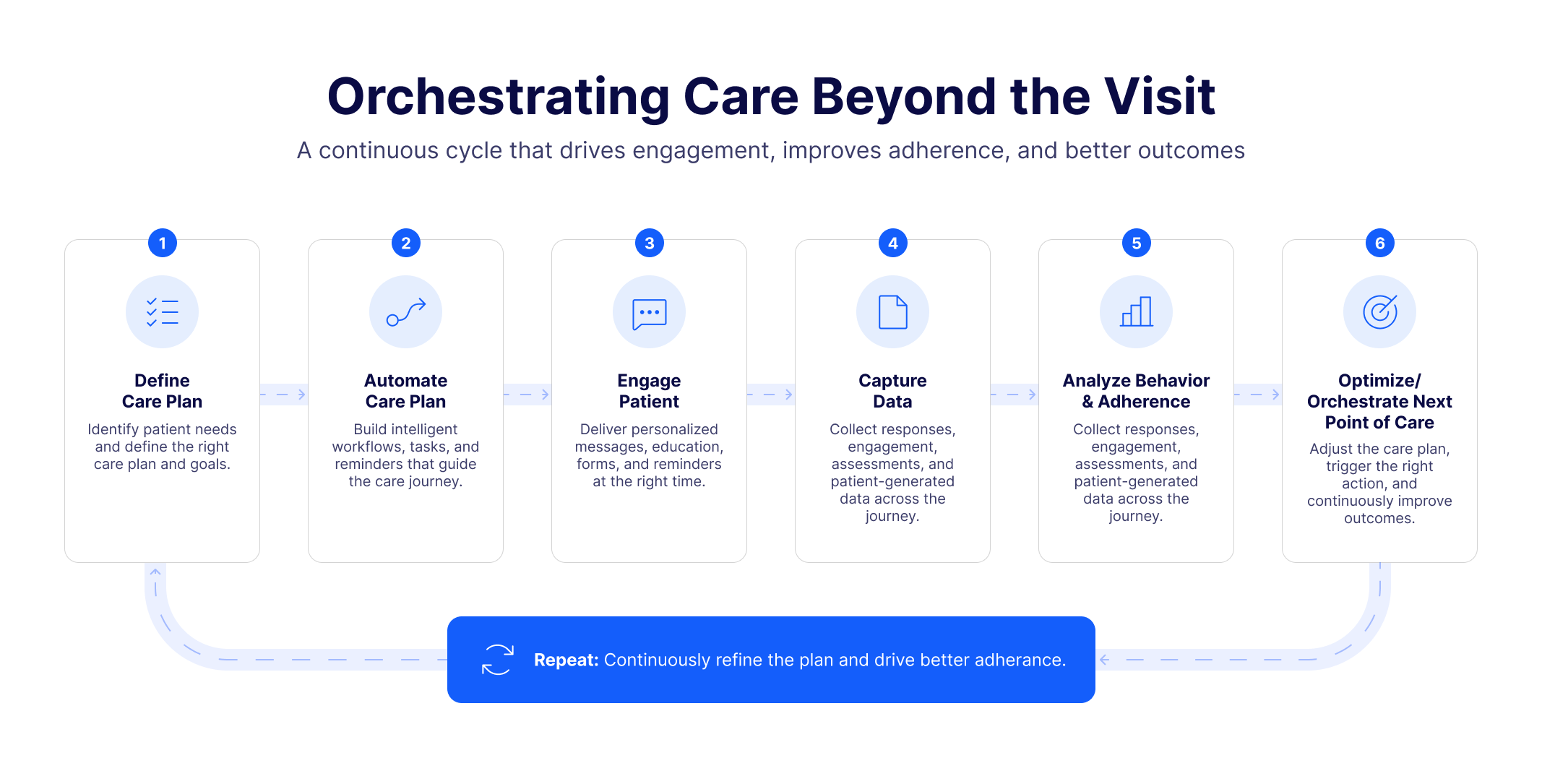
The solution Subflow proposes
Electronic health records (EHRs) are built for what happens during a visit. They do a good job supporting care teams while the patient is in the room. But a large part of care happens outside those walls, and that is where most breakdowns occur.
Before a visit, patients need preparation instructions, intake forms, and reminders to show up. Without them, cancellations climb, and appointments are wasted.
After a visit, patients need to follow through with medications, surveys, referrals, and check-ins. Without follow-up, outcomes suffer, and care teams often find out too late.
Subflow was built to close this gap. It gives your team a way to stay connected with patients at every stage of their journey, without adding more manual work to an already full day.
Understand Subflow
Subflow is organized into five applications, each accessible from the main sidebar:
Contacts: Patient and staff records. Each contact stores personal details, tags, form responses, and a full activity log of every interaction.
Messaging: SMS broadcasts, email campaigns, two-way conversations, and reusable message templates for communicating with patients at scale or one-on-one.
Forms: Digital questionnaires sent to patients via SMS link. No patient portal is required: patients receive a link, open it in their browser, and complete the form from their phone.
Workflows: The automation engine that drives patient engagement. Workflows respond to events, send messages, collect data, create tasks, and route patients through conditional paths based on their answers.
Care Plans: The visualization layer that shows where each patient stands in a clinical protocol. Care Plans are in active development.
How the applications work together
No application works in isolation. Together, they form a continuous loop of outreach, data collection, and action.
A workflow can send a form to a patient via SMS, wait for their response, and automatically create a task for a staff member if an answer raises a concern. That staff member opens the task and finds the patient's response already attached, so they can call with a plan rather than a question. Patients who submitted clean responses move forward automatically, without anyone having to check.
Care Plans sit above this, giving you a visual layer that shows where every patient stands across the stages of their care protocol. Workflows run inside a care plan and automate as much of each stage as possible, while surfacing the moments that genuinely need a human response. Multiple workflows can be attached to a single care plan, and a single workflow can also serve multiple care plans. A post-visit satisfaction survey workflow, for example, can be shared across several care plans without being rebuilt for each one.
What this means for your team
For clinical staff, Subflow changes what a typical day looks like.
Instead of working through a list of manual follow-up calls, you receive tasks that already include the patient's responses and the context you need to act. Routine check-ins happen automatically. Your attention goes to the patients who flagged something that needs a human response.
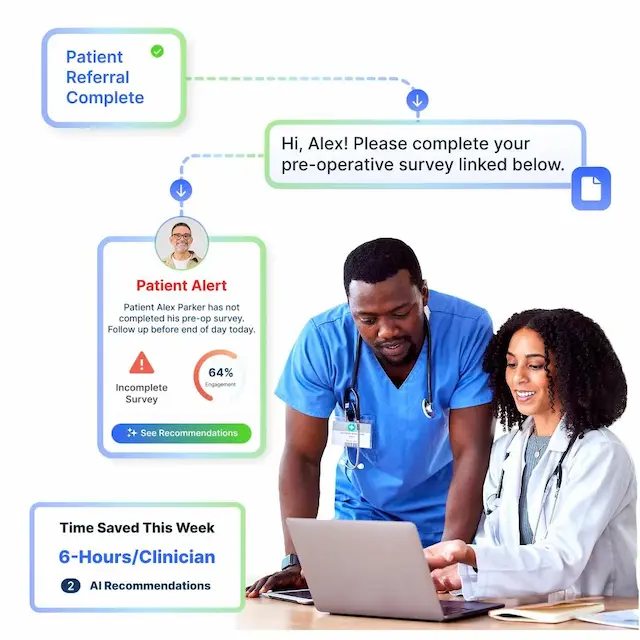
For your organization, Subflow captures activity data across every patient interaction. That data shows not just what happened, but where care is breaking down, so your team can make targeted improvements rather than guessing why outcomes differ across locations or care teams.
In practice
One clinical team had a nurse whose entire job was calling every patient at the 24-hour, 48-hour, 1-week, 2-week, 1-month, and 3-month intervals after a procedure, asking the same 10 questions and acting on the answers. She spent most of her day leaving voicemails, waiting for callbacks, and putting patients on hold while she tracked down physicians.
With Subflow, the team built a workflow. After surgery, an automated SMS went out at the 24-hour mark with a form attached. If a patient's pain score was above a threshold, a high-priority task was created for the nurse, with the form response attached, so she could review the situation before picking up the phone.
Patients answered because the message arrived as a text. The nurse spent her time on patients who needed her, already prepared with what she needed to help them. Survey response rates went up. The nurse stopped staying late. And patients got follow-up when they actually needed it, from someone who already knew what to say.
Explore Subflow
Access the Get Started section to start creating Tasks.
Explore the full list of articles to begin with what is most relevant to your role today, or work through them in order if you are new to Subflow.